
Workbench Go app
Log activity daily, anywhere See your hours and costs in real-time.
Civil and trade crews across Australia and New Zealand log hours, pre-starts and plant usage on site, giving you a live view of job costs without waiting for the end of the week.
Over 400 customers across Australia and New Zealand run their projects on Workbench.






More accurate data and real time visibility for better decisions and greater efficiency
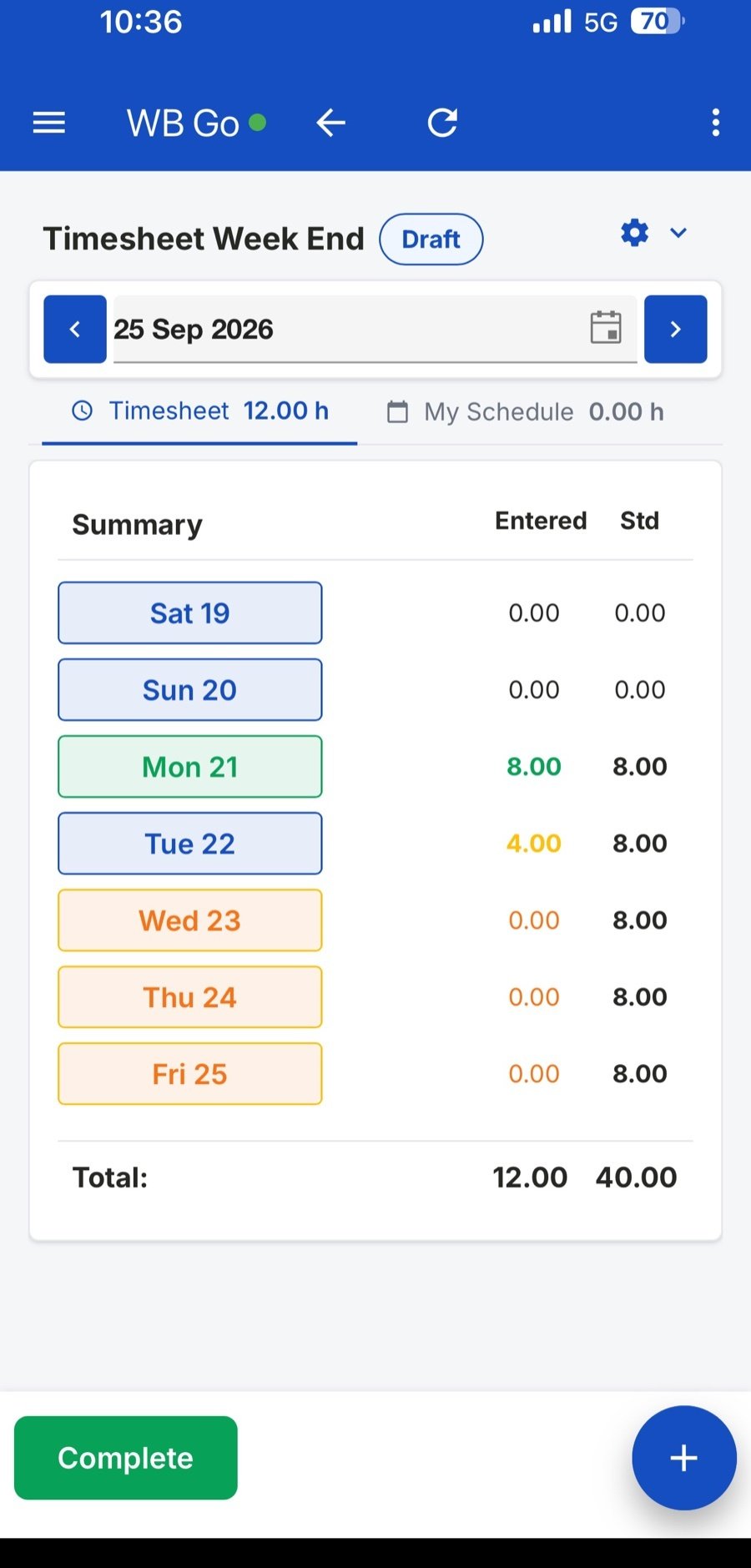
1. Timesheets and leave
Timesheets and plant costs to the right job
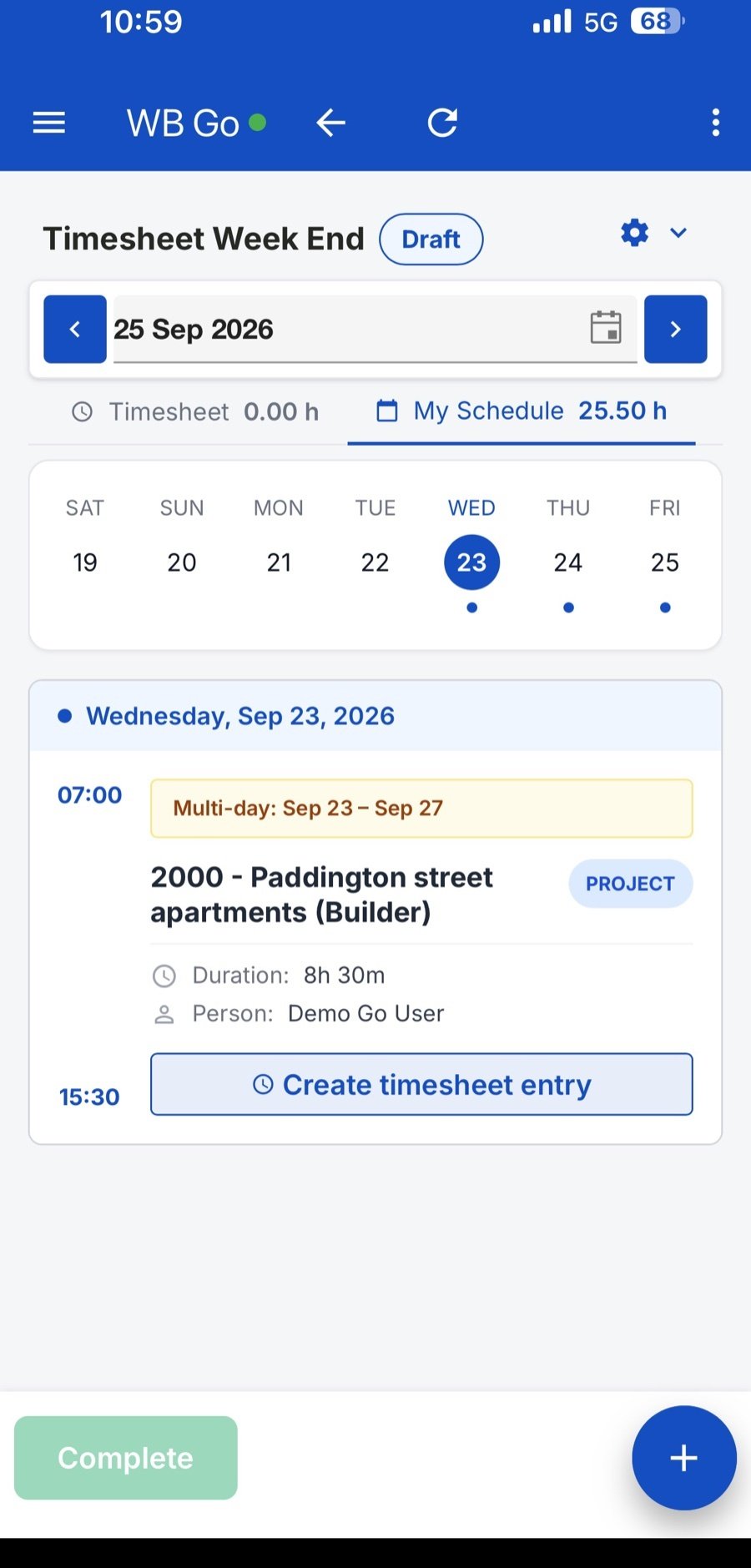
Use resource scheduling to get the right people on the job each day.
- Job lists are sorted by location and recent activity, so field workers find the right job in seconds instead of scrolling through a long list.
- Plant usage is captured in the timesheet, cutting down on admin while giving you a clear record of who used what machinery, and when.
- Request leave from the app with custom approval workflow, so nothing gets lost in a text message or a forgotten form.
2. Plant and pre-starts
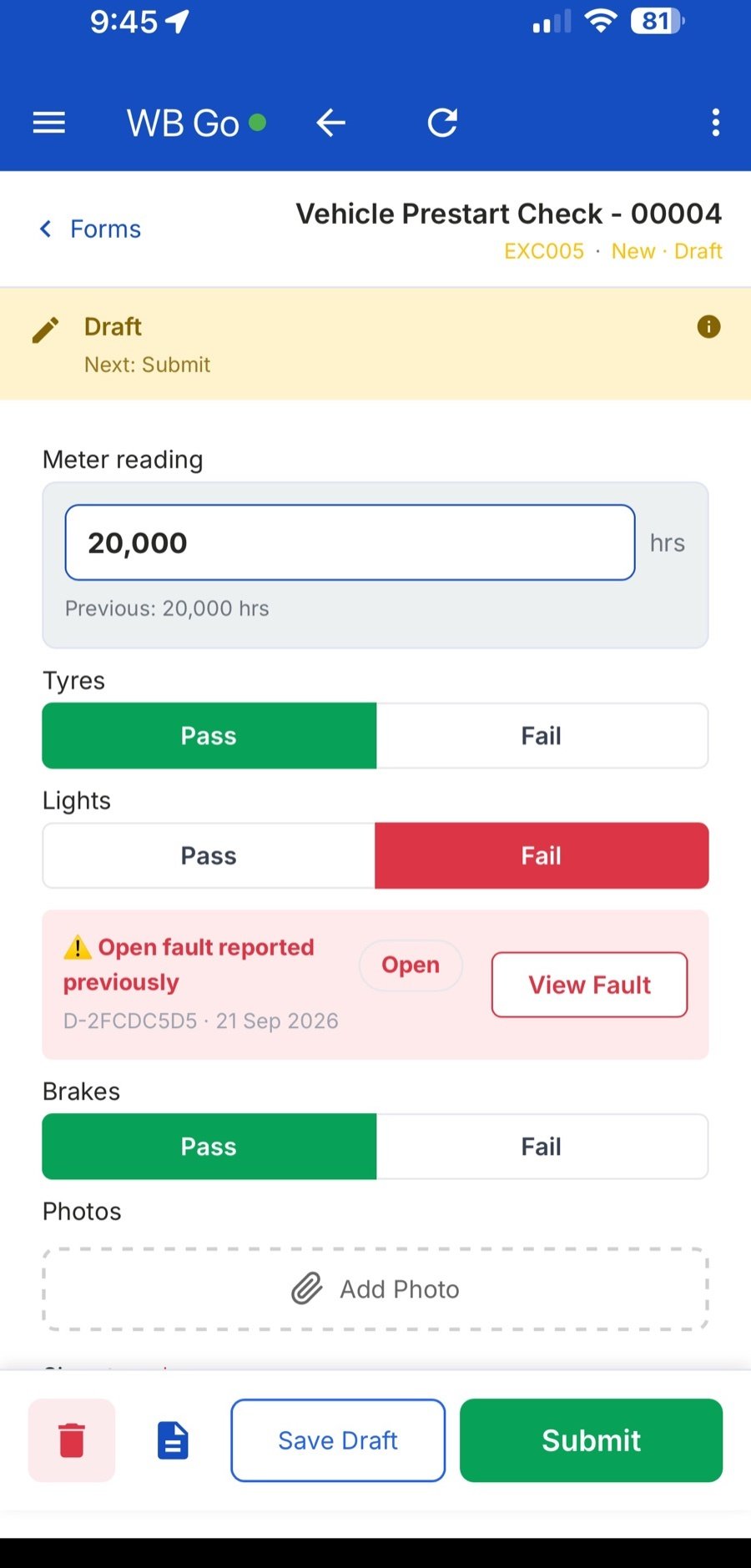
Digitise your pre-start process and track your faults
Failed inspection points are logged and visible to everyone on the team, so problems get fixed instead of forgotten.
- Define your daily pre-start checklists and track faults, get real-time insights on the health of your fleet.
- Update SMU readings on the go to keep planned maintenance on track, no more guessing when a service is due.
- Update your equipment's location via phone GPS, with the option to bring in third-party Telematics data for an even fuller picture.
3. Your project
Manage site resources and your compliance
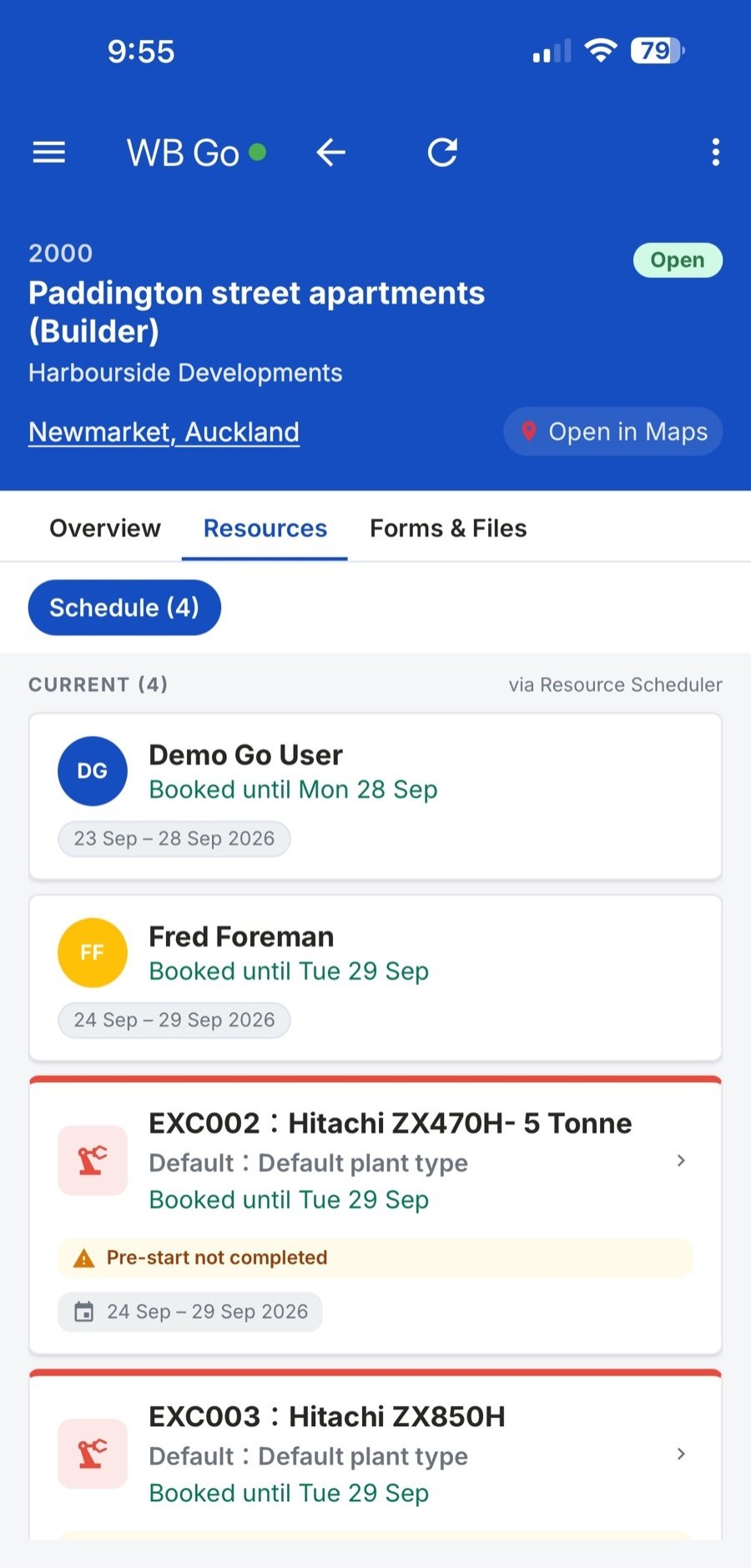
Keep your supervisor up to date with what is happening on their project.
- Supervisors sign off daily on timesheets, plant usage, and stock usage, giving you accurate real-time data instead of chasing paper trails.
- Build digital forms for all your site record keeping, incident reports, toolbox talks, safety audits, so everything's captured and easy to find later.
- Key project contacts are on hand for every job, so the supervisor always knows exactly who to speak to.
Since bringing Workbench in we've just seen a massive improvement in efficiency in the way we do things and a massive improvement in clarity of information, and the reporting that we can get from Workbench is phenomenal in terms of business intelligence and understanding where things are at at any point in time in a project.
 McNally
Director, Stainless Designs
McNally
Director, Stainless Designs